17. The AI-Ready Site Checklist: Four Areas to Audit Before You Ship (or Sign Anything)

Sixteen posts in, and we have covered a lot of ground: from speed and static architecture to who owns the product after launch. This post collects all of it into a single working checklist.
You can use it to audit your own site, review a competitor, or evaluate what a contractor is proposing before you commit. A good AI-ready site does three things at once: it works well for people, it is legible to search engines and AI systems, and it does not create unnecessary risk. The checklist is split into four parts around those goals, and each part points to the posts in this series where the items are covered in detail.
We did not write this from the outside. We first built the Moonion site and a personal site using this exact approach, and only then started recommending it to clients. You do not experiment at a client's expense when there are real deadlines and budgets involved. You figure out what works, then you bring it to them. That is where this list comes from.
For People: Speed and Accessibility
Speed is not a technical metric to satisfy. It is a conversion question. The reference point for measuring it is Google's Core Web Vitals thresholds.
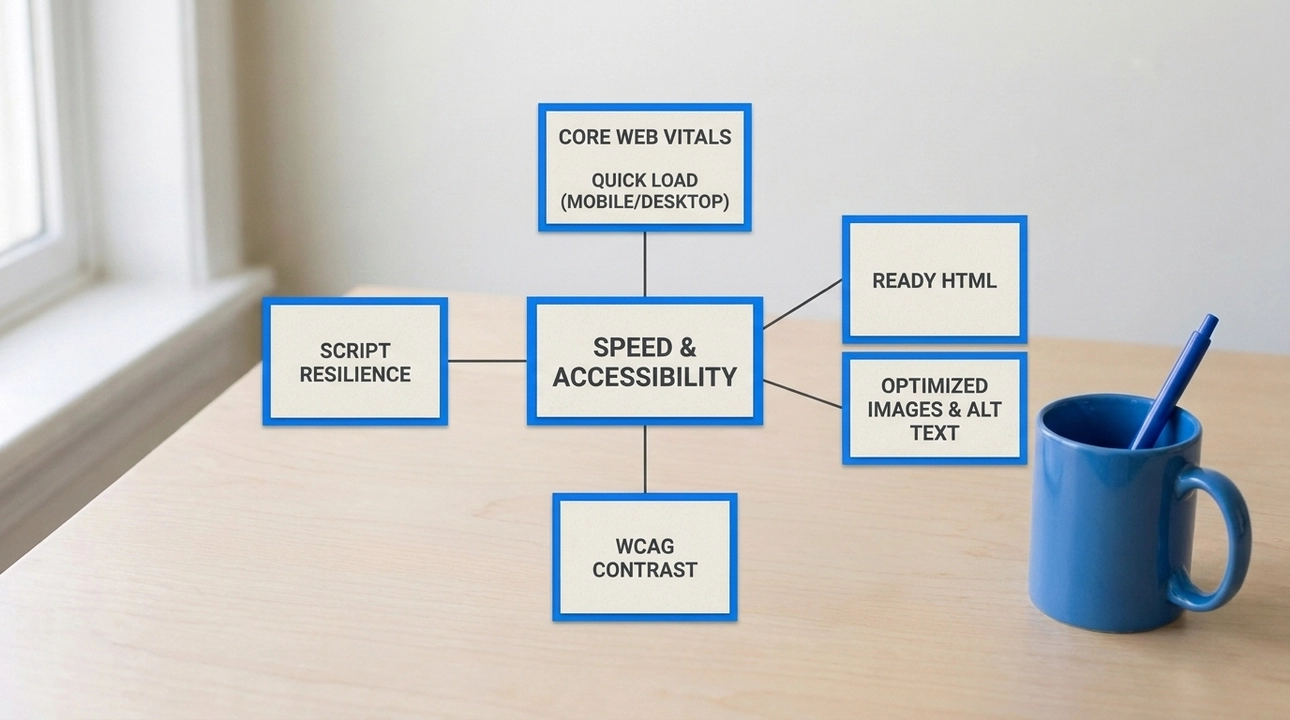
The site opens quickly on both mobile and desktop.
The main content arrives as ready HTML, not assembled by scripts after the page loads.
Regular content pages do not pull in unnecessary code.
Images are your own, properly compressed, and have text descriptions.
Text is readable: contrast meets WCAG in both the light and the dark theme, and headings follow a logical order.
The page stays useful even if a script fails to run.
The client can update content without a developer for every change.
For Search and AI Systems: One Source, Not Three
This part rests on one content source for humans, search engines, and AI chats. The model behind it is covered in the post about your site as a knowledge base.
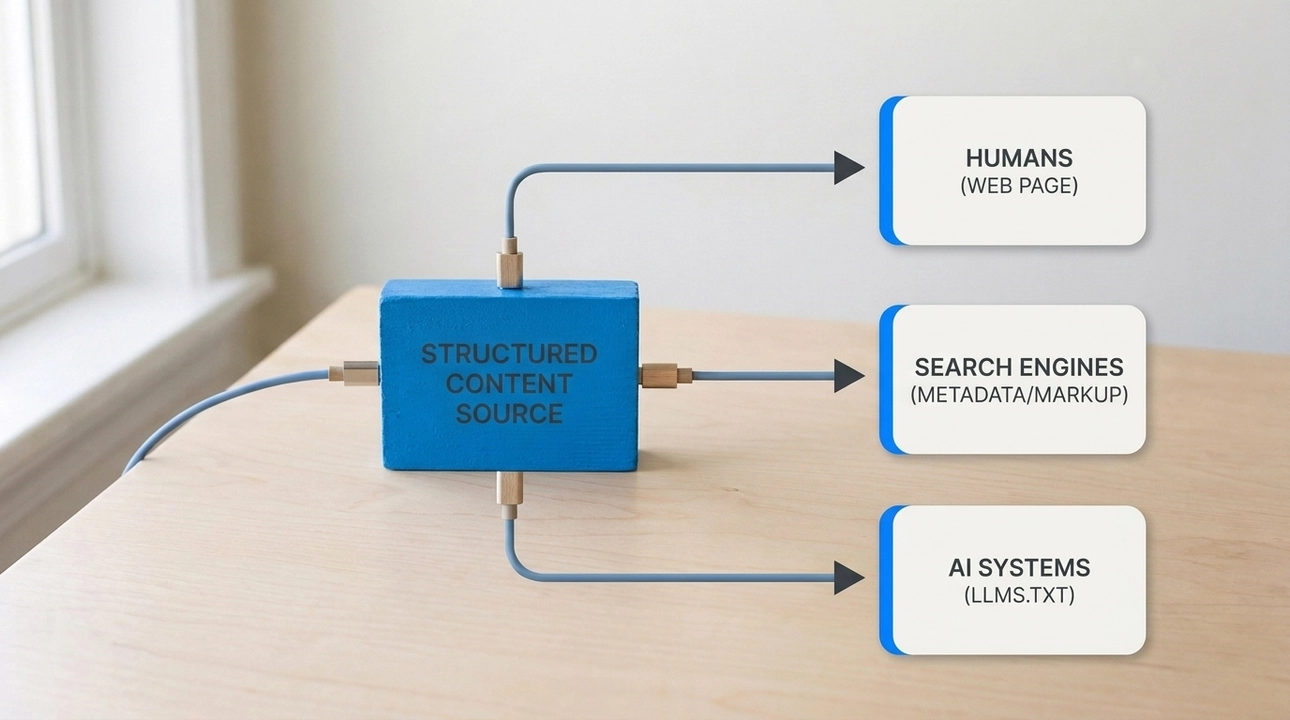
Content is stored in a structured form, not as one long body of text.
There is a model of entities and relationships: which project connects to which technologies and partners.
Metadata for search and social platforms is generated automatically and consistently.
Canonical URLs and a sitemap are configured.
Structured data matches what is actually visible on the page.
There are files for AI systems: llms.txt and, where needed, its full variant.
On a large site, those files are split by section instead of being combined into one.
Those files contain only published information, nothing internal or operational.
If the site has several languages, every page declares its language and links to its translations, and shared facts are stored once.
The structured data requirement is not our invention. Google states in its structured data guidelines that the markup must truthfully represent the content of the page.
Files for AI systems are the opposite case. Google's guide to generative AI features in Search says such files are not needed to appear in its search and do not affect rankings there. We build them for other AI systems, and they are cheap when they are generated from the same content source.
For Reliability: Architecture Does the Work
The key here is what static architecture changes about security.
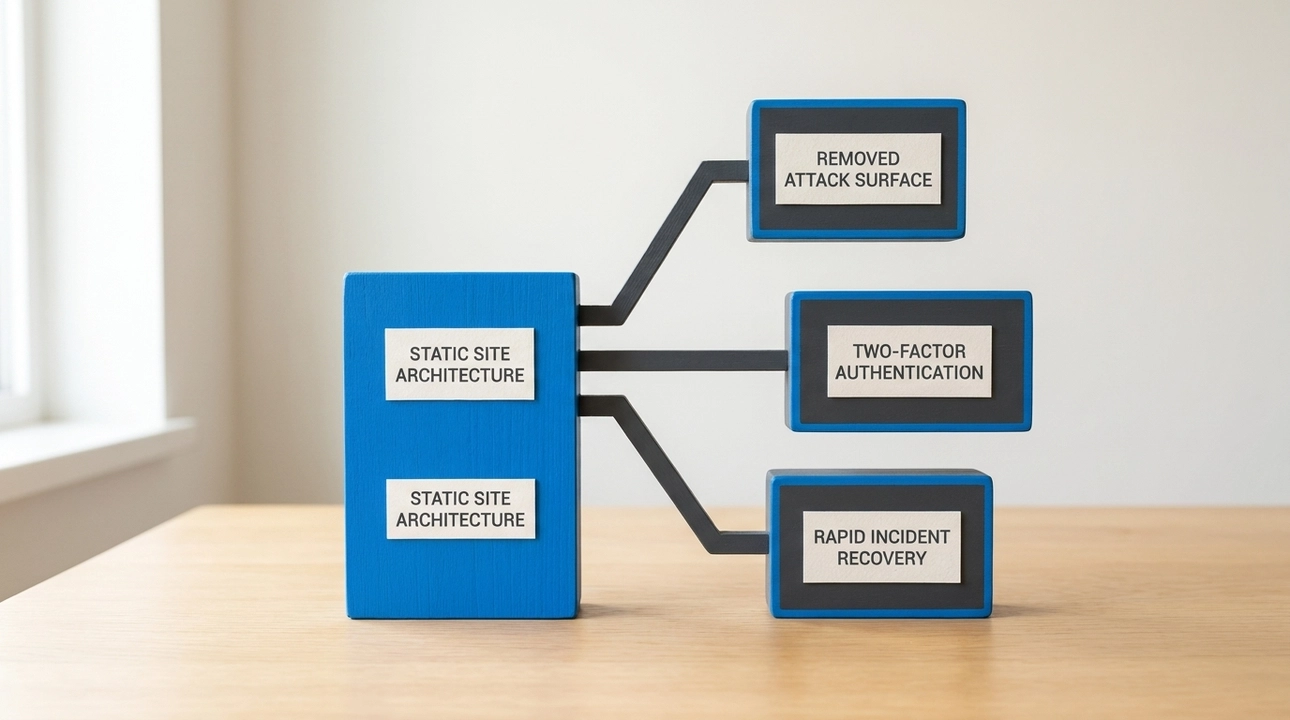
No code runs and no database works behind the public pages.
The public site has no admin panel or login form reachable from the internet.
The site does not depend on a stack of third-party plugins that need urgent updates.
Third-party scripts in the browser are there by deliberate choice, not "just in case".
Content and media are under version control: you can see what changed and restore a previous version.
Recovery from an incident means publishing a clean version, not searching a server for traces.
Access to the hosting, the domain, and the repository is protected with two-factor authentication.
For Process: Rules, Skills, and Checks
This part is about why an AI agent needs rules, skills, and docs and how it changes code without breaking the project.
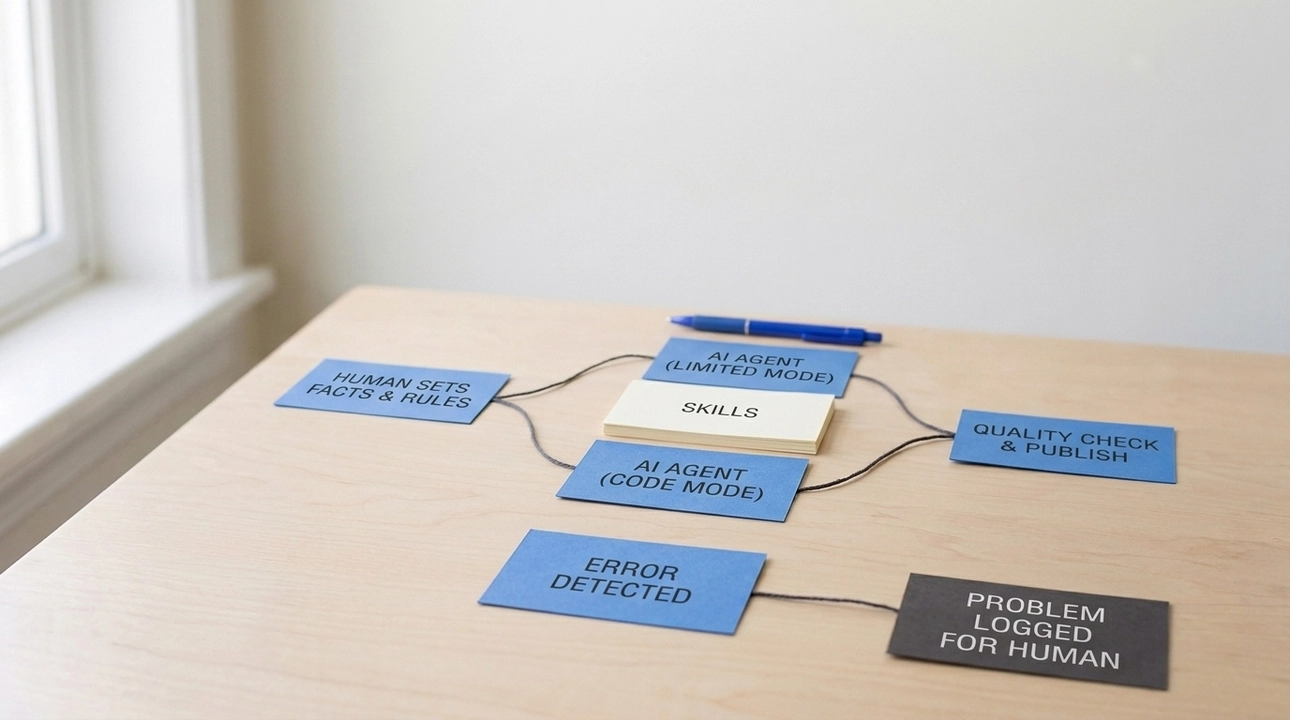
Rules describe how the AI agent works safely.
Skills describe how to handle recurring tasks correctly.
The agent has separate modes: day-to-day content work gives no access to code or publication settings.
AI does not invent facts: a person sets and verifies them.
Automated quality checks run before anything is published.
The rules and skills themselves are checked automatically and do not quietly go out of date.
Bulk data loading, such as a supplier price list, follows a plan that a person sees and confirms before anything is written.
Work is split into blocks with acceptance criteria, so the project does not get stuck in the middle of a major rework.
Rollback means publishing the previous version, not rewriting history.
How to Use This List
You do not need to close every item at once. The more useful approach is to mark what is already in place, then look at which part has the most gaps.
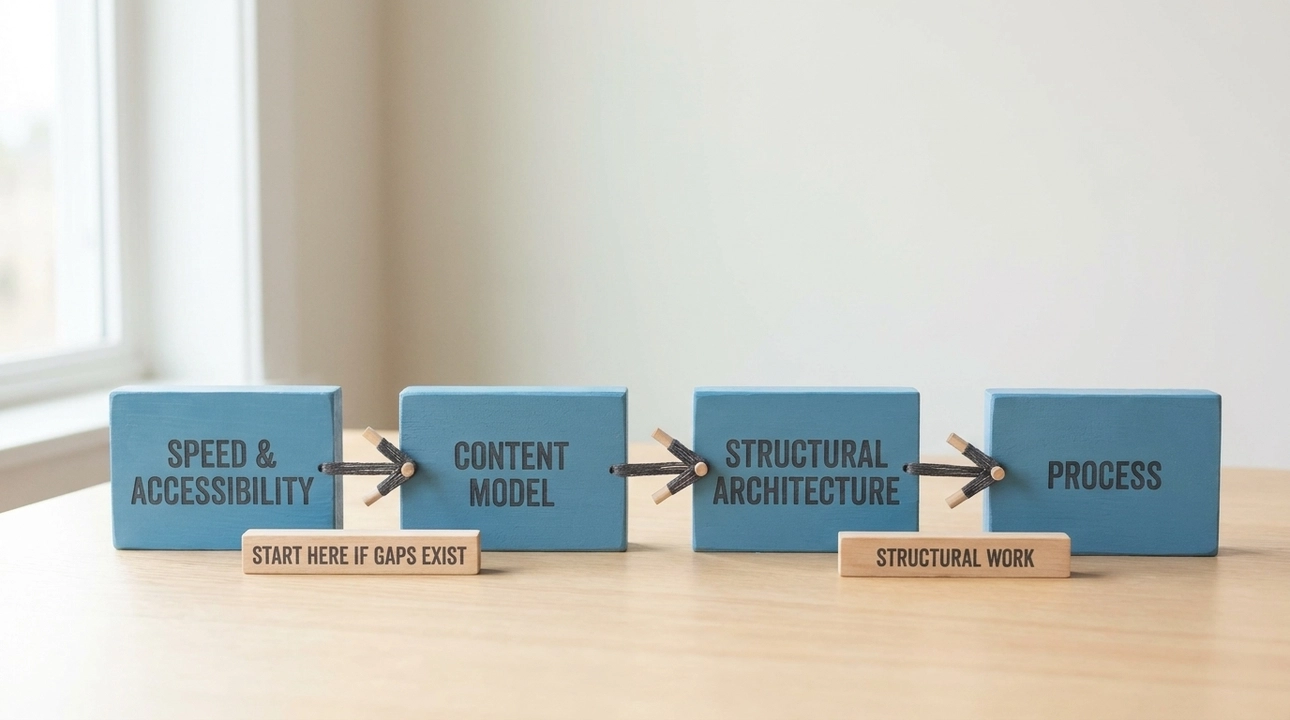
If most of the gaps are in the first part, start with speed and accessibility. If they are in the second, start with the content model: without it, metadata and files for AI systems have to be maintained by hand. The third and fourth parts are usually solved by changing the architecture and the process, not by point fixes.
For an online store, product data is added on top of this list: attributes, availability, shipping, and returns.
A checklist turns "AI-ready" from a buzzword into items you can verify. It shows what a site already has, what it lacks, and where to start.
An AI-ready site is not an add-on. It is a combination of architecture, content, rules, and a managed process. A site like that works equally well for people who arrive from search and for people who first heard about the business from an AI chat.