Every Conversation Becomes a File: How We Turn Project Dialogue Into a Decision Record

Projects live in conversations. Emails, messages, calls, voice notes, screenshots with annotations scattered across inboxes and chat threads. For the first few weeks, everyone more or less remembers what was said. By month two, the memory gets fuzzy. By month three, the disputes start: "We agreed on something different." That is not a people problem. It is a structure problem, and it has a straightforward fix.
The rule we follow is simple: a verbal agreement or a chat message changes nothing about the project until it is written down. The conversation is where ideas surface. The file is where decisions live.
The Client Folder and What Goes Into It
Every project has a dedicated folder for client materials. Everything that comes from the client and everything sent to them lands there. Each document is named by date and topic: the initial request, questions, replies, clarifications, design review letters, call scenarios and summaries, annotated screenshots.
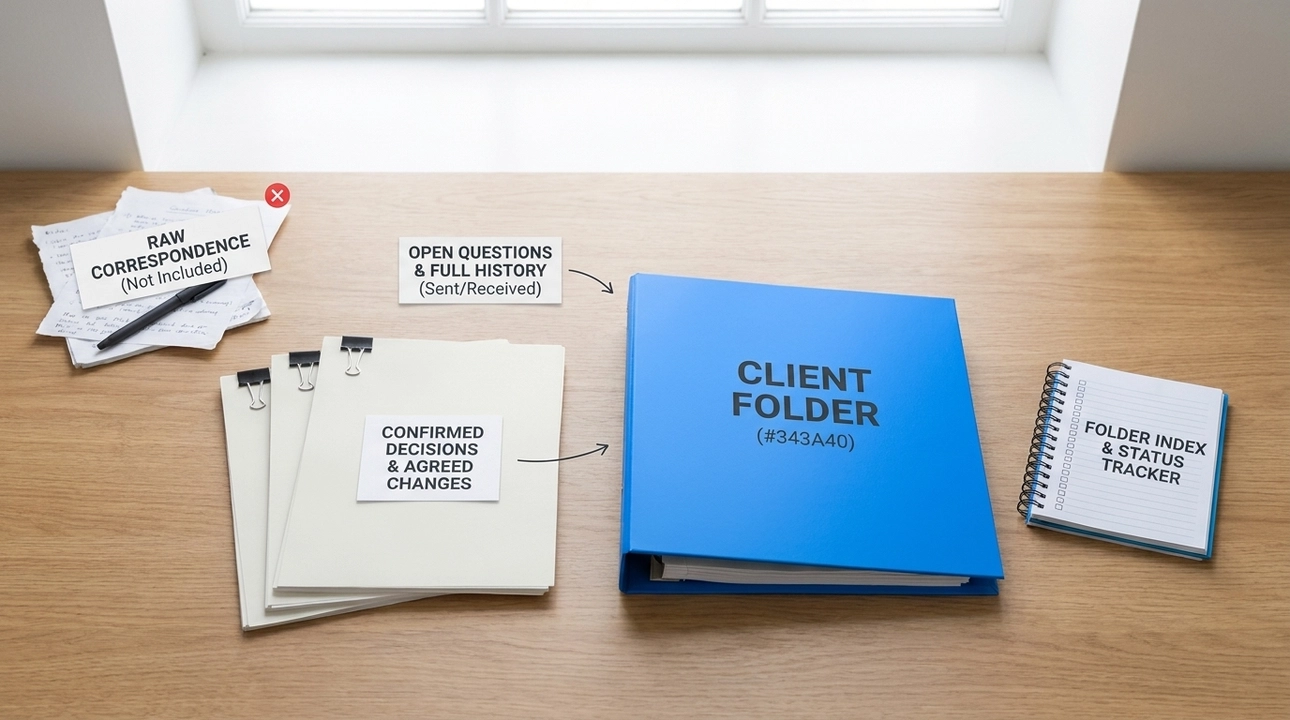
This is not an archive of raw correspondence. Working chatter and intermediate drafts do not belong here. What gets saved is whatever influences the specification: confirmed decisions, open questions, agreed changes, and the full history of what was sent, received, or superseded. All of it is normalized, meaning the text is cleaned up and organized without changing the meaning.
The folder has an index. For each document, the index records what it covers and its current status: sent, reply received, partial reply, not sent and replaced by another, held. On a recent e-commerce project, three months of work produced roughly 30 documents in that folder. At any point, it was clear which questions were closed, which were waiting, and which letters never went out because the situation had changed.
How Questions Actually Get Sent
The first letter with questions does not open with a question. It opens with a short outline of how we propose to launch the project: the phases and what each one delivers. Then comes a section called "what we have already accounted for," listing every preference gathered from prior correspondence and documents: languages, currencies, delivery methods, payment options, staff roles, product-specific requirements. The client does not need to repeat themselves. They skim the list and flag anything we read incorrectly.
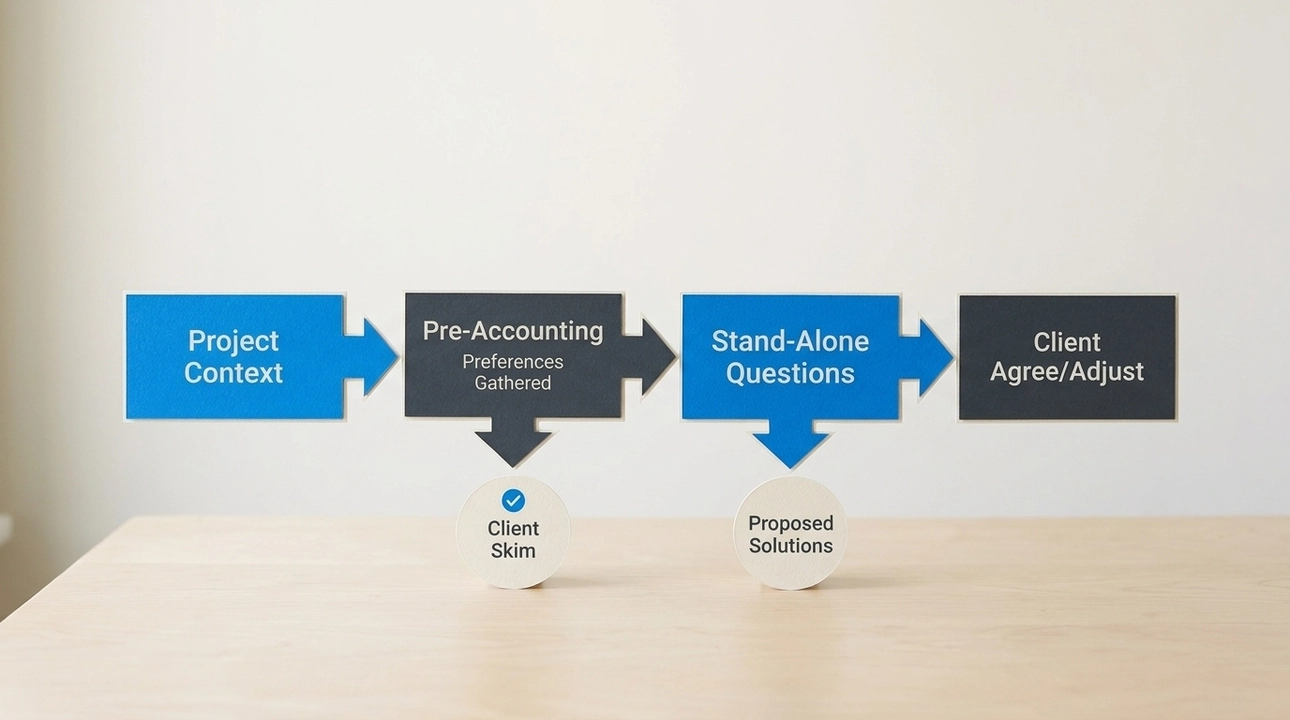
Only then do the questions appear. Each question stands alone and includes an explanation of why it matters. Almost every question comes with a recommended answer: a proposed address structure, a suggested sequencing of phases, a default block layout. The client does not have to invent a solution from scratch. They agree, adjust, or write their own. They can answer gradually, right under each question.
This format did not come from a process manual. It came from watching what happens when clients receive a blank questionnaire about their own site. Classic agency briefing produces approximate answers because the questions are about the web, not about the business. Giving a client a proposed answer flips the burden: now they are reacting to something concrete rather than constructing an answer from nothing.
Three Documents Around Every Call
Calls are useful for discussion. They are dangerous for decisions, because everything said on a call is at risk of being remembered differently by different people.
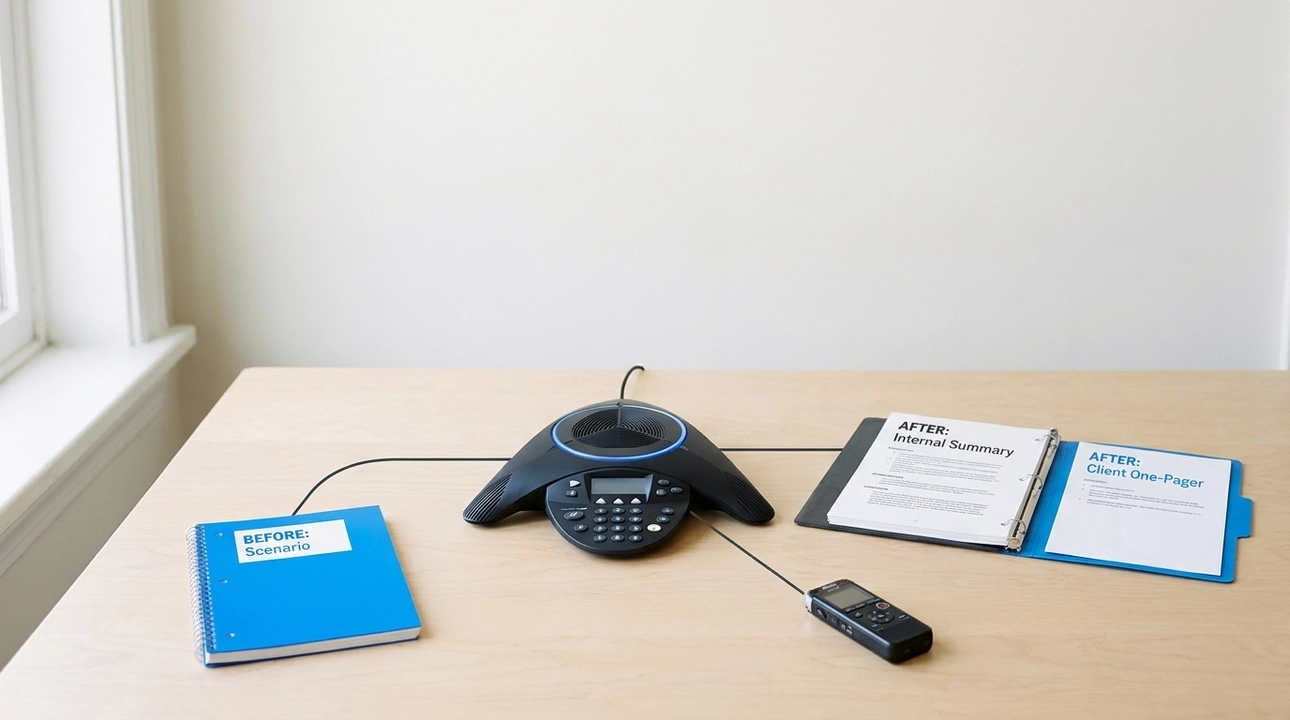
So every call generates three documents. Before the call: a scenario that lists which questions get addressed, how many minutes each block gets, and what the team needs to leave with. This keeps the call on track instead of letting it drift into open conversation. After the call: the recording is transcribed, and AI prepares a summary of what was shown, what was decided, and what remains open. We review it and save it as an internal document. The transcript itself is worth checking too: research from 2024 found that one popular speech recognition system added entire phrases nobody said in about 1% of transcripts. The data is from 2023 and covers a single system. The raw transcript stays out of the project repository. Only the verified summary goes in.
The third document goes to the client: one page in plain language. What was shown. What was decided. What comes next. And a separate block at the end labeled "needed from you," containing two or three specific items. The client immediately sees where their input is required. They do not have to hunt through a long email to find the question buried in paragraph six.
From Source to Decision
A document in the client folder is a source, not a decision. The decision exists when it is recorded in the decision log or in the relevant section of the specification. A client reply is logged with a date, and that entry overrides any earlier assumptions.
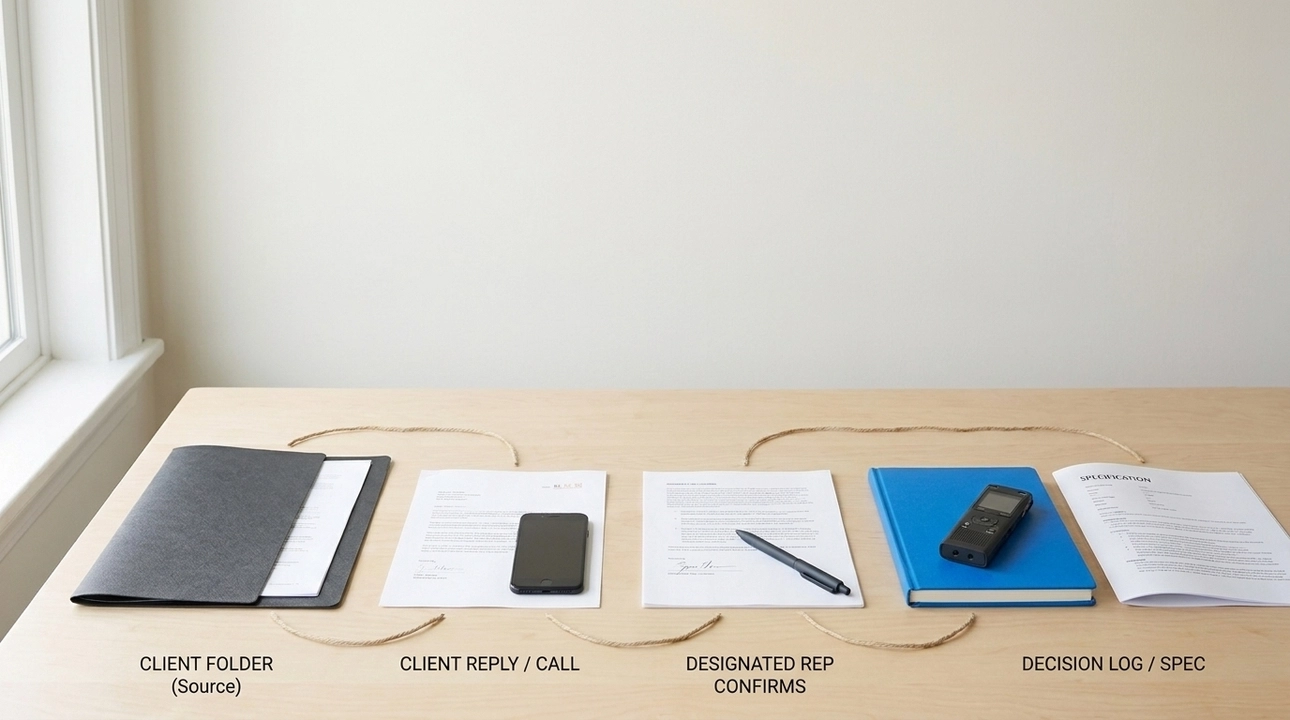
This matters in both directions. If a client writes "let's remove that block from the homepage," the response is not just deleting the block from the mockup. The decision gets recorded, the affected sections of the specification are noted, the design pages are updated, and those changes are marked. And if someone on the client’s team says something without going through the designated representative, it does not count as a decision until the representative confirms it.
The traceability problem this addresses is older than AI. A 1994 study with more than 100 practitioners showed that most requirements-tracing failures originate before the requirement ever reaches the specification document.
Where AI Fits
AI in this workflow functions as an attentive secretary. It normalizes incoming letters and messages without changing their meaning, prepares call summaries from transcripts, assembles letters with questions from the open items in the working plan, checks new client letters against previously recorded decisions to surface what would change in the specification, and keeps the folder index and document statuses current.
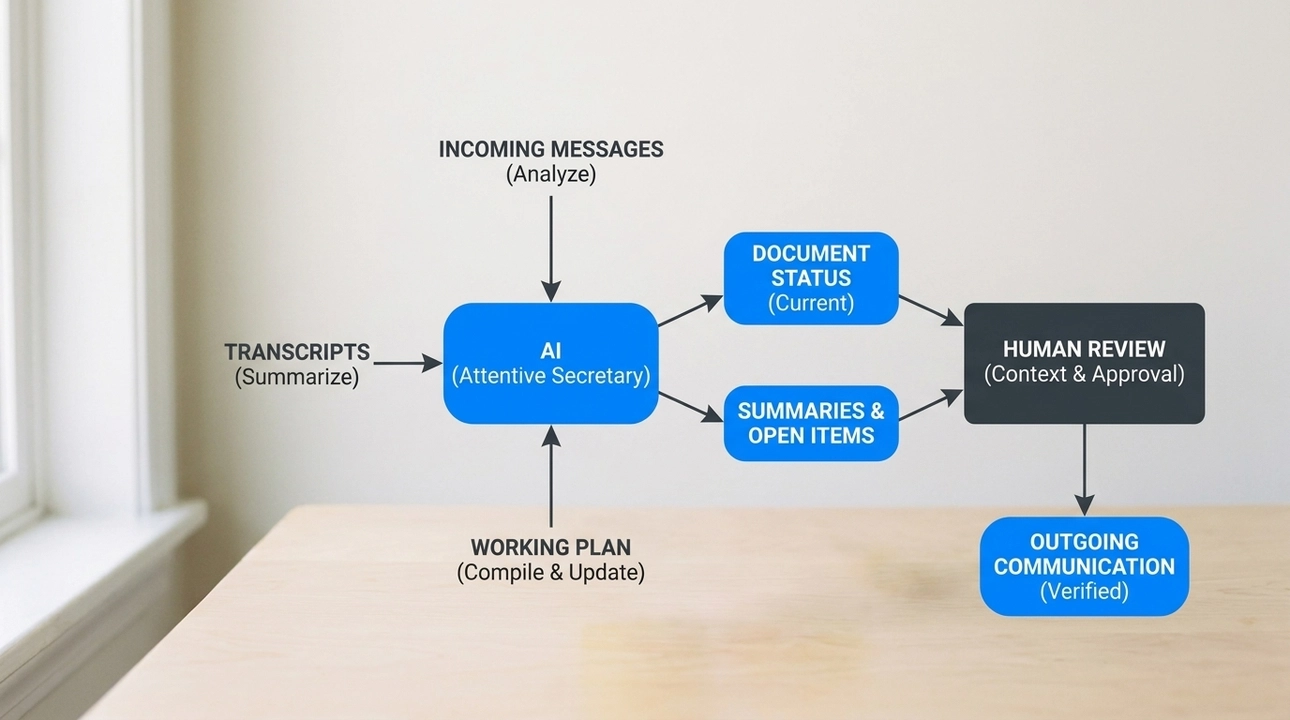
A human reviews every summary and every outgoing letter before anything is sent, with particular attention wherever the AI may have misread the tone. In a transcript, "we could try" and "we absolutely need" look similar, but for a specification they are different things. AI processes volume and flags inconsistencies well. It does not decide what matters.
The process adapts when a client needs it to. On one project, the client found large review packages difficult to absorb and asked to approve materials in smaller increments. That shift was made, and the change to the process was recorded the same way any requirement change would be. Flexibility is fine. Undocumented flexibility is how disputes start.
When a new team member joins a project three months in, or when an AI-ready specification needs to be handed to an agent for the next build phase, there is no need to reconstruct the history from memory. It is already in the files, indexed, dated, and normalized.
Writing everything down is not about making the client’s life harder. The opposite: the client does not have to remember or record anything. They answer questions when it suits them, see only what needs their reply, and get one page of results after every call. Any question like "what did we decide about delivery?" has a precise answer with a date. That is what a file is for.